What You Will Learn
The sections below walk through the underlying concepts, the most common failure points, and a structured way to think about diagnosis — all written for learners, not technicians on the clock.
Introduction
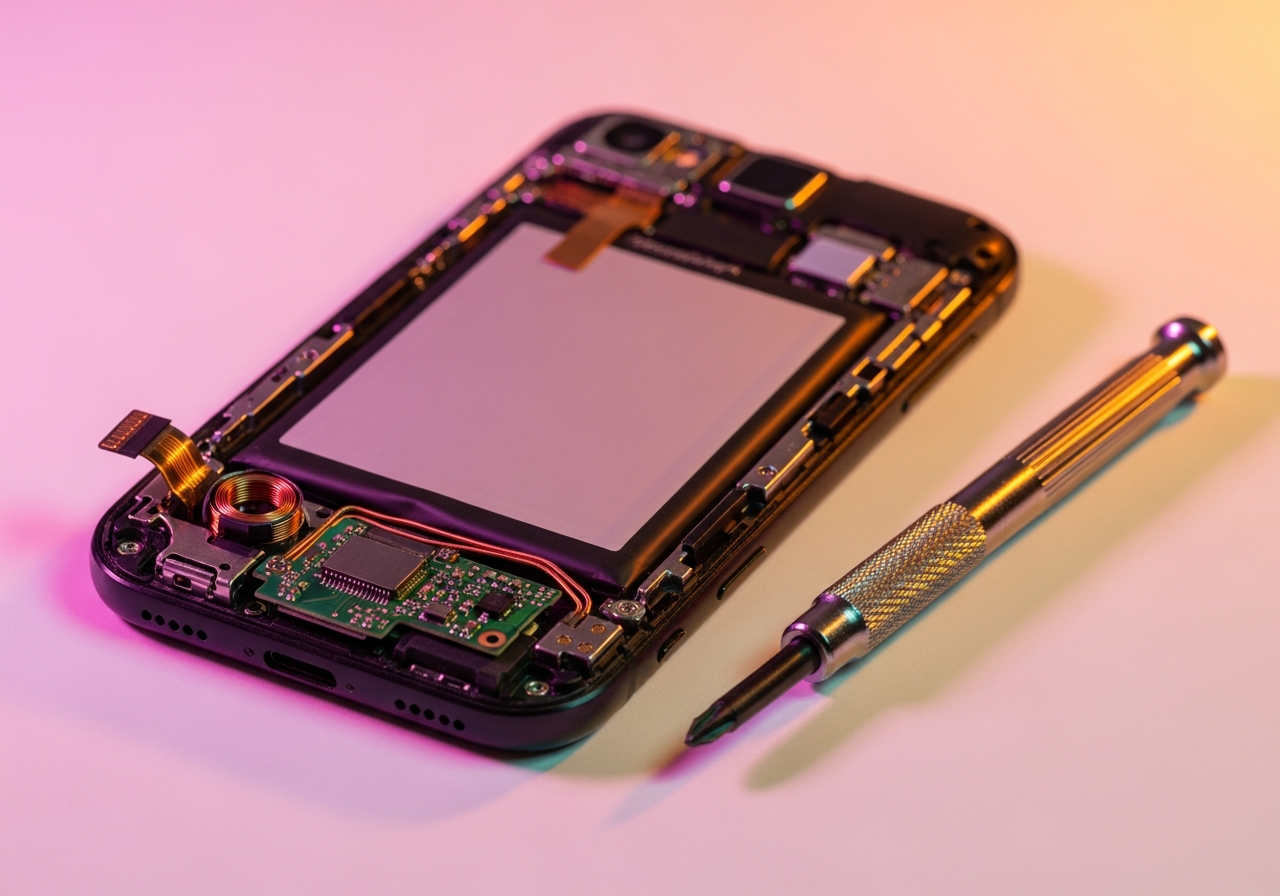
Smartphones are among the most complex and tightly integrated consumer electronics ever mass-made. A modern flagship device packs a multi-core processor, multiple radio transceivers, advanced camera systems, biometric sensors.
And a high-resolution display into a package smaller than a man's palm. All powered by a battery small enough to slip into a shirt pocket.
This remarkable integration is both an engineering marvel and a repair challenge.
Understanding smartphone architecture needs appreciating the core engineering tradeoff at its core: miniaturization demands integration, and integration reduces repairability. Components that in a laptop might occupy separate modules are combined into System-on-Chip (SoC) designs that integrate CPU, GPU, memory controller, modem.
And image signal processor into a single die the size of a fingernail.
This knowledge tutorial covers the architecture of modern smartphones, the most common failure modes specific to mobile devices. And the systematic approach to knowing what has failed.
This knowledge forms the base for knowing repair processes and appreciating why certain failures are more or less repairable than others.
Core Concepts
Modern smartphones use an Application Processor (AP). More often called a System-on-Chip (SoC).
That integrates all major computational jobs onto a single chip. This SoC is paired with dedicated RAM chips and flash storage.
All soldered to the main logic board using Ball Grid Array (BGA) or similar surface-mount technologies.
Display Technology
Smartphone displays are usually either LCD (Liquid Crystal Display) or organic-LED (Organic Light-Emitting Diode). LCDs need a separate backlight layer and have lower contrast ratios.
While OLEDs emit light from individual pixels, allowing true blacks and higher contrast. Both technologies use a digitizer layer bonded to the display panel that translates finger touch into electrical signals.
In modern devices, the display, digitizer, and sometimes a protective glass layer are often bonded together as a single assembly. Damage to any layer often needs spare of the entire assembly.
Battery Chemistry
Smartphone batteries use lithium-ion or lithium-polymer chemistry. These batteries have a defined cycle life — usually 300-500 full charge/discharge cycles before capacity drops below 80% of original.
The battery management system (BMS) integrated into the device monitors cell voltage, temperature. And charge state to stop dangerous overcharge, over-discharge.
And thermal conditions. A battery that has exceeded its cycle life exhibits reduced screen-on time.
Unexpected shutdowns at apparently non-zero battery percentage (voltage sag). And sometimes physical swelling as gas accumulates within the cell.
Technical Deep Dive
The radio systems in a modern smartphone represent remarkable engineering detail. A flagship device may hold separate antenna arrays and transceiver chains for 5G (sub-6GHz and mmWave), WiFi 6E, Bluetooth 5.
x, UWB (ultra-wideband), NFC, and GPS. These radio systems must coexist within millimeters of each other without interfering, requiring careful RF shielding and co-existence management algorithms.
Camera System Architecture
Modern smartphone camera systems consist of multiple image sensors (wide, ultrawide, telephoto, depth), corresponding lenses, optical image stabilization (OIS) systems. And the image signal processor (ISP) integrated into the SoC.
Each camera module is a precision optical and electronic assembly. The autofocus system in specific uses phase-detection pixels on the sensor surface and a precisely controlled voice-coil motor to position the lens stack.
Damage to the delicate voice-coil mechanism is a common cause of autofocus failure.
Biometric Systems
Under-display fingerprint sensors (optical or ultrasonic), side-mounted capacitive fingerprint sensors. And face ID systems (using structured light or Time-of-Flight depth sensing) are advanced subsystems with their own processing chips and security enclaves.
Biometric data is processed and stored within the Secure Enclave. A separate, hardware-isolated processor.
And cannot be read by the main application processor or any software running on it.
The mechanical engineering of smartphone chassis has advanced dramatically to support new features. Waterproofing needs precise application of adhesive gaskets around every opening.
Wireless charging needs specific coil placement and power management. Camera glass is sapphire or specialized reinforced glass to withstand scratching while remaining optically clear.
Each of these engineering features can fail or degrade over the device's lifetime.
Water resistance ratings (IP67, IP68) describe performance under controlled laboratory conditions when the device is new. The adhesive gaskets that give sealing degrade with age, impacts, and repeated openings. A device that originally had an IP68 rating may have a lot less water resistance after 2 years of use.
Common Issues and Causes
Smartphone failures follow likely patterns related to the device's usage patterns and mechanical design:
- Display and digitizer damage: The front glass is the most exposed part and shatters upon impact. A cracked display may still job, but internal separation of the digitizer layer stops touch input.
- Battery degradation: With daily charge cycles, battery capacity drops measurably within 18-24 months, with big degradation appearing by 2-3 years.
- Charging port wear: USB-C ports experience mechanical wear from repeated connection cycles. In time causing loose fit or damaged internal pins.
- Camera module failure: OIS mechanisms, autofocus motors, and image sensors can fail from physical impact or from accumulated wear.
- Water damage: Despite IP ratings, water ingress through aged seals damages circuitry through corrosion and short circuits.
- Speaker and microphone blockage: Grilles accumulate debris that reduces sound output or microphone sensitivity.
The compact integration of smartphones means that many failures need complete module spare rather than part-level repair. Knowing the failure group helps set right expectations for repairability.
Smartphone batteries hold high-energy-density lithium chemistry. Puncturing a phone battery during opening procedures can cause immediate thermal runaway — a fire and toxic smoke event. Always use proper prying tools and procedures when opening devices, and treat any swollen batteries with extreme caution.
Diagnostic Framework
Smartphone check uses a combination of software checks, physical check, and part swap to spot failure causes.
Step-by-Step Knowledge Framework
- Identify whether the problem is hardware or software: factory reset eliminates most software problems.
- Test audio with headphones: this determines whether speaker or audio amplifier has failed.
- Test display and touch: check if touch failure is localized (cracked digitizer) or complete.
- Test charging: try multiple cables and adapters to isolate port vs adapter failure.
- Test cameras individually: photograph the same subject with each camera to spot which module has failed.
- Check checking mode: most smartphones have hardware test screens accessible through specific dialer codes or factory menus.
Smartphone check is tricky by the lack of user-accessible checking ports. Manufacturer service tools and third-party checking software give deeper hardware insights.
But consumer-level check relies heavily on working testing and part swap.
Before assuming a part failure, always check that the problem isn't a software crash or corrupted setup. A forced restart (pressing specific button combinations) often resolves what appears to be hardware failure. A frozen touch sensor or unresponsive speaker may simply be a software process that has locked up the relevant hardware interface.
Summary Reference Table
| Aspect | Description | Notes |
|---|---|---|
| Display | organic-LED/LCD panel + digitizer + glass | Usually replaced as assembly |
| Battery | Lithium cell + BMS circuit | Cycle count determines health |
| Camera | Multiple modules with OIS and AF | Test each camera individually |
| Charging | USB-C port + charging IC | Test with multiple cables/adapters |
| Audio | Speaker + earpiece + microphone(s) | Headphone test isolates speaker path |
| Wireless | WiFi/BT/NFC/5G antennas + chips | Signal quality test in known area |